Inventory
Everything needed for a modern management of stock and inventory
Stock tracking
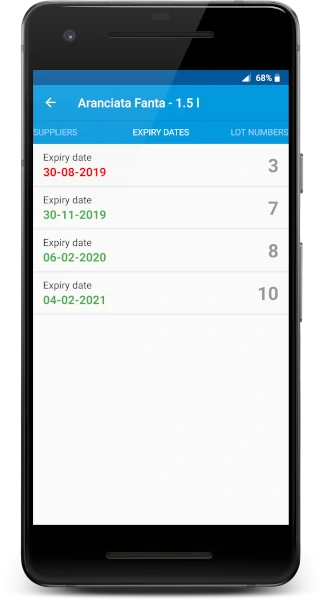
Keep track of your stock in real time
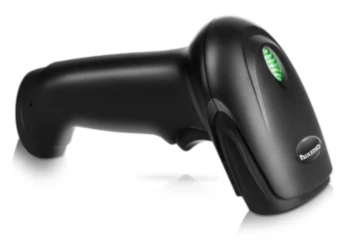
Get alerted when your stock is running low or the expiry date is approaching. Scan the products barcode with the smartphone camera or using an external scanner.
- Multi-currency and multiple taxes supported
- Share product info to WhatsApp or other apps
- Track product locations and suppliers
- Barcode scanner integration
- Search and filtering
Categories
Organise your products into categories
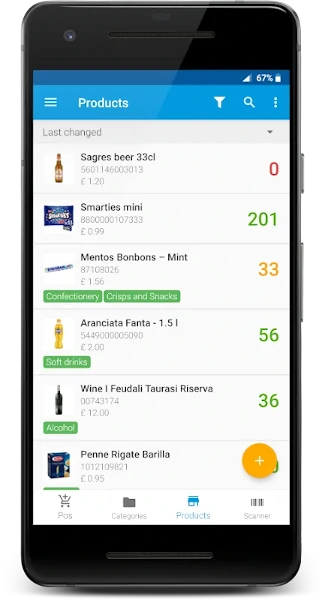
You can add products to one or more categories. It is possible to assign a colour or a custom image to the categories.
- Unlimited categories
- Custom color and image
Expiry dates
Make sure to sell your products before they expiry
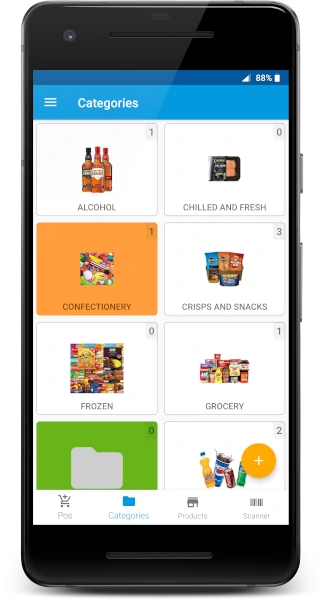
With this module you can track all your products expiry dates easily. You can associate the expiry date to each stock movement. In the product details section you can see all the product expiry dates with the relative quantity. With the dashboard you can see the list of all products that are due to expire.
- List of products due to expire
- Optional module, can be disabled if not needed
Product locations
Know always where your products are
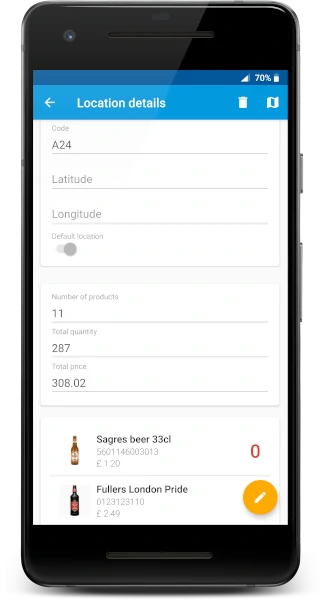
Keep track of the location of each stock movement. You can see all the positions of each product with the relative quantity. In the location details you can see all the products in that location plus additional statistical information.
- Default location per product to speed up the stock movements
- Smart location selection, pick automatically the first available location
- Location statistics
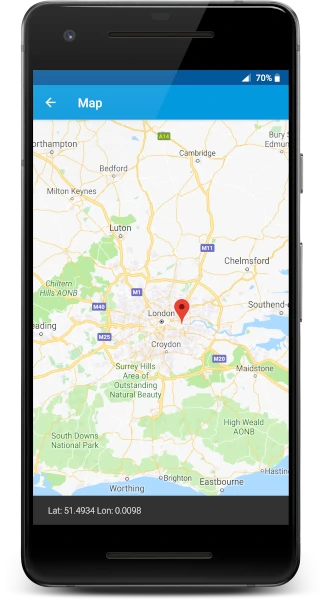
- Location geographical coordinates and map view
Lot numbers
Lot numbers let you record the detailed history of each product that is processed in your company
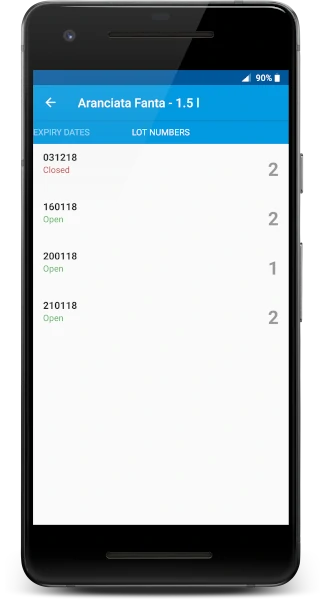
Associate lot numbers or serial numbers to the stock movements and see for each products the lot numbers available in the warehouse
- Lot number status: to close inactive lot numbers
- Optional module, can be disabled if not needed
Label printing
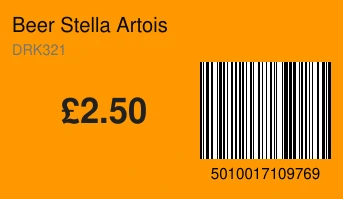
Generate, download and print the PDF with product labels.
The labels are fully customisable you can change the background color to highlight products on offer and you can select which information should appear on the label: product name, price, barcode, product code...
Support for handheld barcode scanners
Connect your handheld barcode scanner via Bluetooth or USB to your smartphone or your computer
For a faster and more precise scanning it is possible to connect and external barcode scanner to the Android app and to the WEB app. You can also use an Android device with an integrated barcode scanner.